
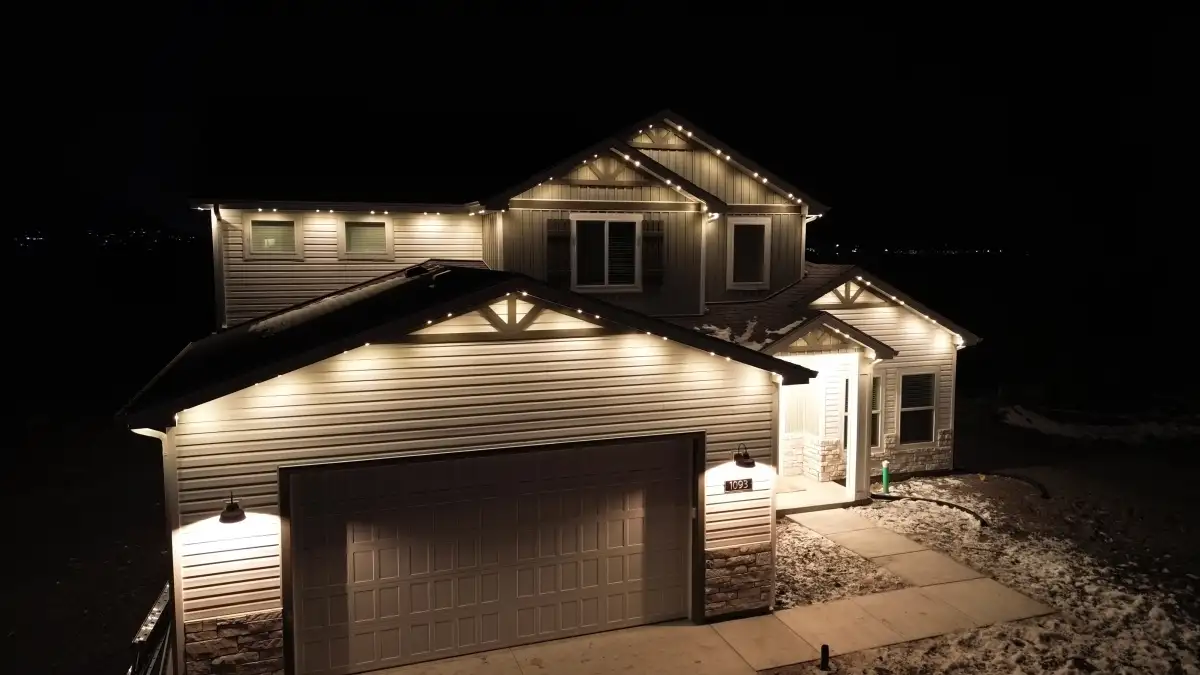
Outdoor Lighting Automation That Runs on Schedules, Scenes, and Real Use
Outdoor lighting automation is the control layer that makes a lighting system feel effortless. Instead of remembering switches, timers, or seasonal plug-in routines, the homeowner can use schedules, sunrise and sunset offsets, app scenes, dimming, motion triggers, and manual overrides to match how the property is used.
Automation for outdoor lighting that runs on schedule
TruLight plans automation after the lighting zones are understood. The front elevation may need a simple dusk-to-late-evening schedule. A patio may need manual scene buttons. Security zones may need motion response. Holiday lighting may need saved patterns. Treating every light the same makes the system harder to use; automation works best when each zone has a job.
Outdoor lighting automation controls what the lights do after installation: schedules, scenes, timers, brightness changes, and seasonal settings that match how the property is used.
Automation is especially helpful in the Midlands because sunset changes, summer gatherings, holiday seasons, storms, and travel schedules all affect how exterior lights are used. A static timer rarely handles those needs well.
Automation choices that keep lights useful
- Sunset-based schedules that adjust through the year without constant timer changes.
- Separate scenes for arrivals, quiet evenings, entertaining, holidays, and security response.
- Brightness limits that make color scenes tasteful and warm-white scenes comfortable.
- Motion-triggered zones that do not cause the whole property to flash unnecessarily.
- Simple app organization so common scenes are easy to find and edit.
- Manual overrides for storms, late guests, vacations, and unexpected activity.
Matching scenes and controls to the way the property is used
Sunset-based schedules can keep outdoor lights aligned with changing daylight throughout the year. Separate scenes for arrivals, quiet evenings, entertaining, holidays, and security response let each part of the system do a specific job.
Brightness limits keep warm-white and color scenes comfortable, while focused motion zones prevent one sensor from making the entire property flash. Common scenes should be easy to find and adjust in the app.
Manual overrides give you immediate control during storms, vacations, late guest arrivals, or unexpected activity without dismantling the schedules you use every day.
What the automation walkthrough reviews
Schedule behavior
TruLight defines what each zone should do at sunset, during active evening hours, late at night, and during travel. That keeps automation from treating every fixture like it has the same job.
Control reliability
The estimate checks controller placement, signal reach, weather exposure, and manual override options before scenes are built, because an automated system has to work dependably without constant attention.
Scene cleanup
Common scenes are named and grouped around real use: arrival, patio, holiday, security, quiet evening, and vacation. The goal is fast control for the owner, not a long list of confusing presets.
Automation built around real evening routines
Good automation starts with simple scenes homeowners will actually use: arrivals, quiet evenings, outdoor meals, holidays, and security response. TruLight sets up those priorities before installation so zones, schedules, and fixture placement work together.
Sunset-based schedules reduce timer changes through the year, while brightness limits keep color scenes tasteful and warm-white scenes comfortable. The system should make the property easier to manage, not add another app that needs constant attention.
Motion behavior is planned carefully so one side-yard trigger does not make the entire property flash. Where security lighting, cameras, and entertaining areas overlap, TruLight separates everyday visibility from alert lighting.
Outdoor lighting automation should feel simple once it is installed. Schedules, scenes, motion behavior, and manual overrides need to be easy to understand so the owner can trust the system instead of constantly correcting it.
Outdoor Lighting Automation questions
Do automated lights still work manually?
Yes. A good setup keeps manual control available through the app, switch, or controller so the owner is not locked into one schedule.
Can schedules change by season?
Yes. Sunset offsets and saved scenes can make the system behave differently during summer evenings, holidays, and travel periods.
Will automation make the system complicated?
It should not. TruLight organizes zones and scenes around normal use so the system is easier to operate, not harder.
Automation services and connected lighting paths
Smart Home Outdoor Lighting
Coordinate exterior zones with household apps, voice routines, cameras, travel settings, and simple shared controls.
View Service →Smart Outdoor Lighting
Add app control, schedules, brightness settings, and scenes to make exterior lighting easier to manage.
View Service →Security Lighting
Improve nighttime visibility around doors, garages, driveways, parking areas, and side-yard movement routes.
View Service →Build automation around the way your evenings work
Ask TruLight to map zones, schedules, scenes, overrides, and smart-control needs before your exterior lighting is programmed, so the system stays useful after the first week.
Request Your Free Estimate